前言
插件来来去去,更换了很多,最终留下来的比较趁手的其实也就几个,这里一一介绍
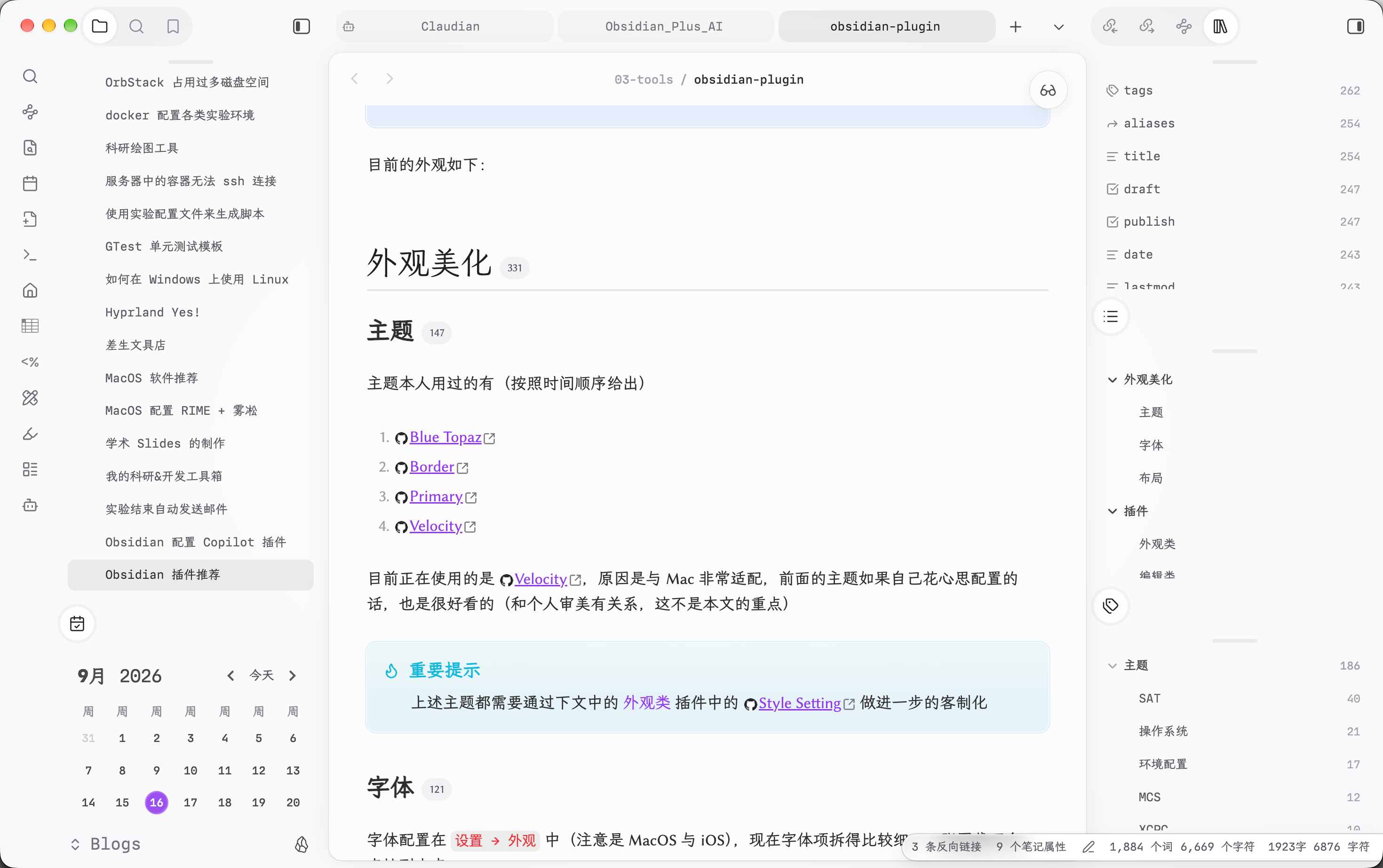
目前的外观如下:
外观美化
主题
主题本人用过的有(按照时间顺序给出)
目前正在使用的是 Velocity,原因是与 Mac 非常适配,前面的主题如果自己花心思配置的话,也是很好看的(和个人审美有关系,这不是本文的重点)
重要提示
上述主题都需要通过下文中的 外观类 插件中的 Style Setting 做进一步的客制化
字体
字体配置在 设置 → 外观 中(注意是 MacOS 与 iOS),现在字体项拆得比较细,一张图截不全,直接列出来:
| 项 | 配置 |
|---|---|
| 界面字体 | MD IO, LXGW WenKai, PingFang SC |
| 正文字体 | Linux Biolinum, LXGW WenKai, PingFang SC |
| 等宽字体 | MD IO, Monaco Nerd Font, Menlo |
| 基础字号 | 17 |
界面和正文都把 霞鹜文楷(LXGW WenKai)作为回退,最后统一回退到系统自带的 PingFang SC(手机上主要就是它)。
布局
这个因人而异,我习惯性想看关系图谱和大纲,所以放在比较显眼的位置,大部分操作还是习惯用快捷键(可以不使用 VIM,感觉 Obsidian 里使用 VIM 的体验不是很好)
插件
插件会比较多,这里分类别说,但是本质上就几个插件会比较常用,大部分都是下下来放着不需要配置就行
外观类
Style Settings by mgmeyers ,用于客制化一些主题/或者外观类插件(这个需要插件提供可配置的接口),主要是注入一些 CSS,一些主题给的配置选项会特别多(比如 Blue Topaz),目前市面上的大部分主题都会支持自定义内容,这个插件还是十分有必要的。
Link Favicons by Johannes Theiner ^[See the favicon for a linked website. ],用于在外部链接前/后显示图标(就是网站的 favicon),会在本地缓存一个月,不需要担心流量问题
Colored Tags by Pavel Frankov ^[Colorizes tags in different colors. Colors of nested tags are mixed with the root tag to improve readability. Text color contrast is automatically matched to comply with AA level of WCAG 2.1.],用于自定义标签的颜色(这个和主题有关系,可能只会让正文中的标签变色,但是 Frontmatter 中的不受影响)
Front Matter Title by Snezhig ♡ ^[Lets you define a title in frontmatter to be displayed as the filename for explorer, graph, search and etc.],用来更好的显示文件名称,很多时候我们文件名是时间戳命名,根本不知道什么意思,真正的标题可能在 Frontmatter 的 title 字段里,这个插件可以让你在文件夹,搜索,补全等等地方都显示 Frontmatter 里更人性化的标题,效果可以见开头的图
Better Word Count by Luke Leppan ^[Counts the words of selected text in the editor.],用来查看字数的(这个可有可无),这个插件比较好的一点是可以计数每个标题下面的字数
Iconize by Florian Woelki ^[Add icons to anything you desire in Obsidian, including files, folders, and text.],emoji 小鬼最爱,给你的文件夹/文件添加 Emoji,在主题不提供 多彩文件夹 时比较好用
Calendar by Liam Cain ^[Calendar view of your daily notes],最简单的日历,没什么用处就是看日期
Mousewheel Image zoom by Nico Jeske ^[This plugin enables you to increase/decrease the size of an image by scrolling],这个插件用来缩放图片大小,否则所有图片都一样大,有时候看着很占视野
Nested tags graph by drpilman ^[Links nested tags in graph view],在关系图谱里把嵌套标签也链接起来,配合标签的使用习惯,图谱的聚类会更清晰
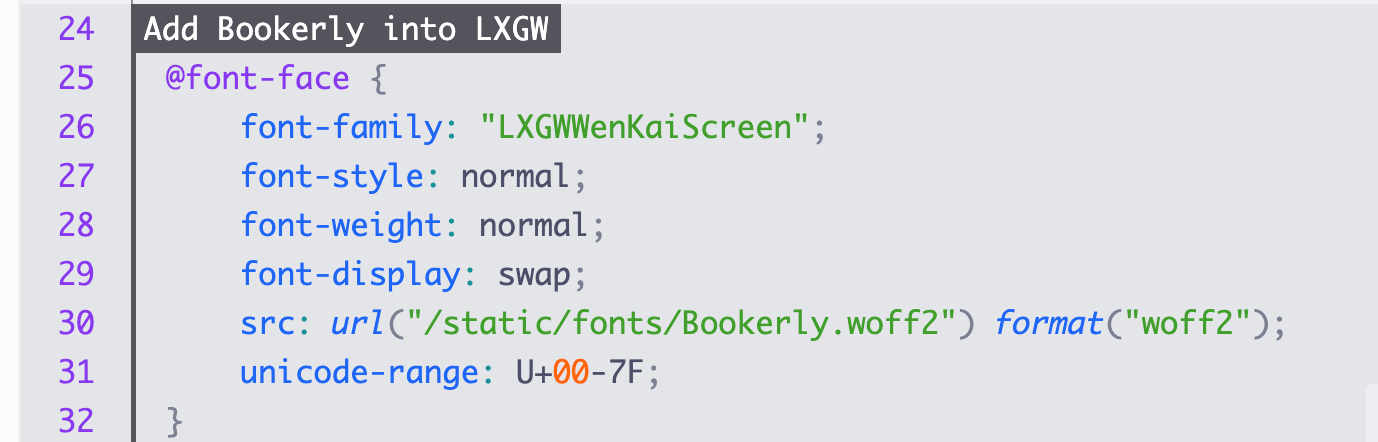
Shiki Highlighter by Moritz Jung ♡ ^[Highlight code blocks with Shiki.],一个代码高亮的插件,可以自定义展示的主题外,还提供了更强的语法,例如可以展示出这样的效果:
编辑类
Completr by tth05 ^[This plugin provides advanced auto-completion functionality for LaTeX, Frontmatter and standard writing.],自动补全插件,例如想要输入 Callout 时,可以输入 > [] 他就会自动补全出有哪些 callout,latex 也是一样,推荐
盘古 PanGu by Natumsol ^[自动为中英文之间插入空格,排版强迫者的福音。],给中英文之间插空格,这个插件不错,大部分情况都不会有 BUG,不过还是存在的(没那么容易触发),还是很推荐的
Image auto upload by renmu ♡ ^[This plugin uploads images from your clipboard by PicGo],需要图床的话这个是必不可少的插件,通过这个才能达到和 Typora 里复制粘贴图片自动上传然后替换 URL 一样的功能
Advanced Tables by Tony Grosinger ♡/♡/♡ ^[Improved table navigation, formatting, manipulation, and formulas],画表专用,懒得记语法
Templater by SilentVoid ^[Create and use templates],这个虽然功能比较强大,但是我也没有用的太复杂,主要就是写了两个特别简单的模板,一个博客的模板,一个日记的模板,不需要插入什么复杂的东西,主要就是生成好 title 然后放到合适的文件夹就可以,按需求自定,目前我是绑定在 <M-N> 这个快捷键
Linter by Victor Tao ^[Formats and styles your notes. It can be used to format YAML tags, aliases, arrays, and metadata; footnotes; headings; spacing; math blocks; regular markdown contents like list, italics, and bold styles; and more with the use of custom rule options as well.],非常有用,自动格式化 Frontmatter,可以补全缺失的字段,自动生成修改时间,但是我用的功能也就这两个部分,不需要开启太多的功能
Excalidraw by Zsolt Viczian ♡ ^[An Obsidian plugin to edit and view Excalidraw drawings],画图专用的插件,反正大家用 Ob 都绕不开这个插件,随手画个图还是很香的(关键是手写体,图比 Draw.io 画的好看)
Tasks by Clare Macrae and Ilyas Landikov (created by Martin Schenck) ♡ ^[Track tasks across your vault. Supports due dates, recurring tasks, done dates, sub-set of checklist items, and filtering.],这个插件除了让 TODO List 更好看了点,还提供了查询语法,让你可以全局查询自己的 TODO(但是查询语法可能还得自己去看一眼才知道怎么用)
Tag Wrangler by PJ Eby ♡ ^[Rename, merge, toggle, and search tags from the tags view],用的不多,主要是用来批量重命名标签,其余的功能我也没用过
Better Export PDF by l1xnan ♡ ^[Export your notes to PDF, support export preview, add bookmarks outline and header/footer.],比原生导出 PDF 更强的替代品,支持导出预览、书签大纲和页眉页脚
工作流
Omnisearch by Simon Cambier ♡/♡ ^[A search engine that just works],由于都使用快捷键,本质上我的文件切换都是使用 “搜索” -> “查询” -> “切换” 来做的,这个插件可以强化一些我的搜索与切换体验,感觉还是不错的,但是他的 OCR 功能我也不太需要,暂时没有这个需求
ZotLit by AidenLx ^[Plugin to integrate with Zotero, create literature notes and insert citations from a Zotero library.],这个可以说是我最重要的工作流,用这个插件来为看的论文写笔记/总结,可以自动连接 Zotero 中
Homepage by novov ♡ ^[Open a specified note, canvas, base, or workspace on startup, or set it for quick access later.],打开 Obsidian 时自动打开指定笔记/画布,我把主页固定为 My Journey(一个 Bases 的 .base 文件)
Maps by Obsidian ^[Adds a map layout to bases so you can display notes as an interactive map view.],官方出的地图布局插件,可以在 Bases 里把带位置信息的笔记显示成地图视图
Claudian by Yishen Tu ^[Embeds Claude Code, Codex, and other coding agents as AI collaborators in your vault. Your vault becomes their working directory, giving them capabilities for file reads and writes, search, bash commands, and multi-step workflows.],把 Claude Code 等编码 Agent 嵌入到 Vault 里做 AI 协作者,让 Agent 以 Vault 为工作目录进行读写、搜索和自动化操作
插件管理
Lazy Plugin Loader by Alan Grainger ♡ ^[Load plugins with a delay on startup, so that you can get your app startup down into the sub-second loading time.] 来管理插件的启动次序(延迟)等,这个在移动端比较有效(在移动端有很多插件也用不上)
Share my plugin list by Benature ♡ ^[Share the enabled plugins in list/table format.],一键导出当前启用的插件列表,方便分享自己的插件配置